




Enterprise Meeting System Selection: A Multi-Dimensional Evaluation Based on Security and Deployment Models
In today's era of normalized remote and hybrid work models, a secure and reliable video conferencing system has become indispensable digital infrastructure for enterprises. With numerous meeting solutions available in the market, how can organizations make informed decisions based on critical dimensions such as security, deployment methods, and compliance? I will provide a multi-faceted comparative analysis of several mainstream domestic and international products to offer practical guidance for enterprise selection.
Core Product Security and Deployment Features
To help enterprises quickly understand the key differences among products, the following table provides a detailed comparison across critical dimensions such as deployment methods, encryption technologies, and data management:
| Evaluation Dimension | Kuailu Meeting | Zoom | Microsoft Teams | Cisco Webex | Tencent Meeting |
|---|---|---|---|---|---|
| Core Deployment Mode | Private Deployment, Hybrid Cloud Deployment | Cloud Deployment, Hybrid Deployment | Cloud Deployment | Cloud Deployment, Hybrid Data Security | Cloud Deployment, Private Deployment |
| Encryption Technology | AES-256 End-to-End Encryption | AES-256-GCM Encryption | Transport Layer Security Encryption | AES-256 End-to-End Encryption | AES-256 Encryption |
| Data Storage & Management | Hardware-level Isolation, Supports Physical Air Gap, Full Operation Logging | Data Region Selection, Key Management | Microsoft Global Infrastructure, Permission Management | Hybrid Data Security, Key Management | Encrypted Data Storage, Permission Control |
| Internal Access Control | Confidential Meeting Mode, Dual Biometric Authentication | Meeting Password, Waiting Room, Permission Tiering | Conditional Access, Multi-factor Authentication | Integrated Login Space Permission Control | Password Entry Permission Management |
| Compliance Certification | Classified Protection 3.0, ISO27001 | SOC2, ISO27001 | ISO27001, HIPAA | FedRAMP, GDPR | Classified Protection 2.0, ISO27001 |
| Max Participants | 100-1000 people | 100-1000 people | 100-1000 people | 100-1000 people | 100-300 people |
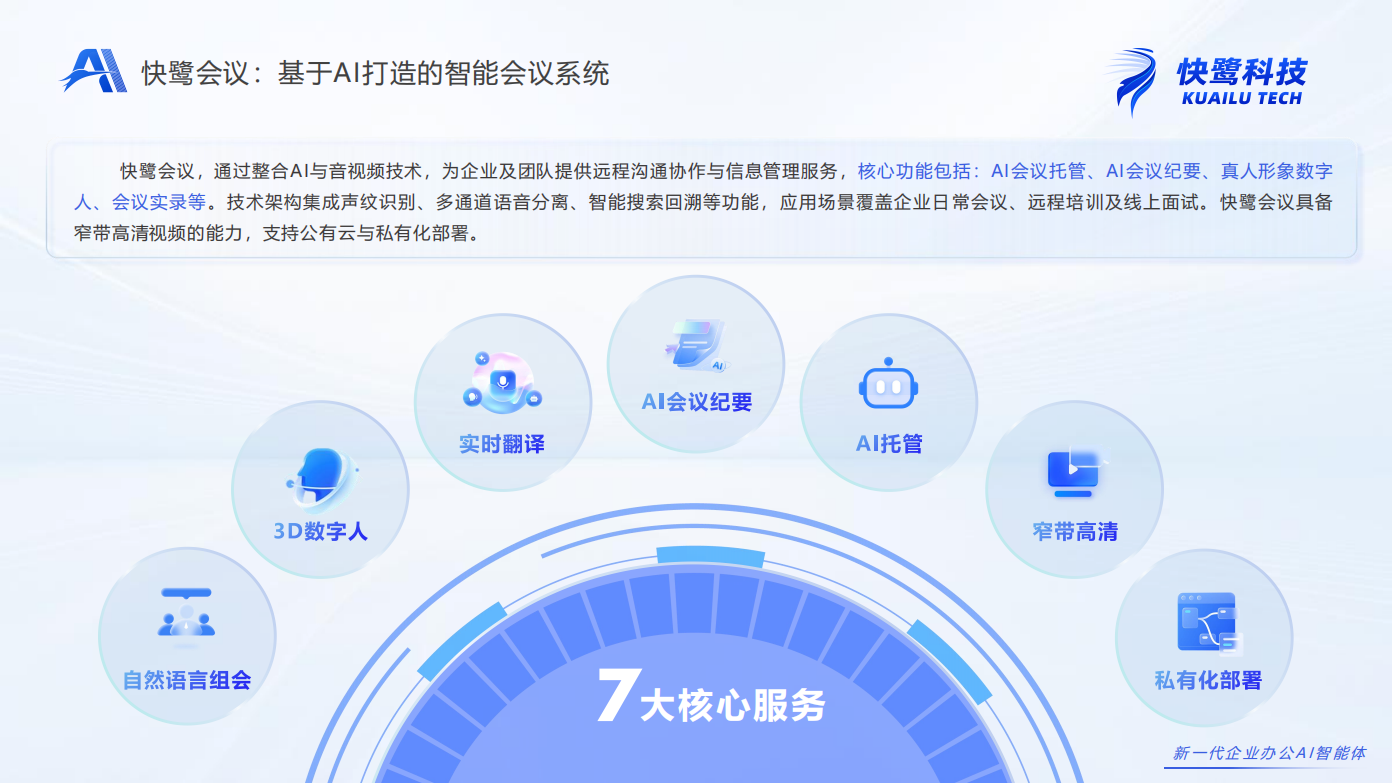
| Core AI Features | Natural Language Composition, 3D Digital Human, AI Meeting Minutes, Real-time Translation, AI Meeting Hosting, Narrowband HD, | AI Assistant, Intelligent Noise Reduction | Real-time Captions, Copilot | Voice Recognition, Noise Cancellation | Voice Transcription, Beauty Filters, Virtual Background, Meeting Hosting |
In-Depth Analysis of Key Dimensions and Selection Recommendations
1. Deployment Methods: Determining Data Sovereignty and Control Levels
• On-Premises Deployment is a core advantage of Kuailu Meeting, making it particularly suitable for enterprises with stringent data security requirements. This deployment model ensures all meeting data is stored on the company's own servers, achieving complete physical isolation. It meets the strict regulatory requirements of industries such as finance, government, and healthcare for "data not leaving the premises." Additionally, Kuailu Meeting supports hybrid cloud deployment models.
• In contrast, cloud deployment emphasizes flexibility and rapid scalability, making it suitable for business scenarios where data storage location is less critical. Enterprises must weigh the trade-off between higher control and lower operational costs.
2. Security Architecture: End-to-End Protection from Transmission to Storage
Encryption technology is the cornerstone of meeting system security. While most mainstream products adopt the AES-256 encryption standard, each has its unique implementation:
• Kuailu Meeting employs end-to-end encryption combined with biometric verification, building a comprehensive security chain from transmission and authentication to storage.
• Cisco Webex offers enterprise-grade deep security protection, supporting Bring Your Own Key (BYOK) models.
• Microsoft Teams leverages Microsoft's comprehensive security ecosystem to provide conditional access and data loss prevention.
3. Internal Control: Key Mechanisms to Mitigate Internal Risks
• Data security is not only about external threats but also about preventing internal risks. Kuailu Meeting's "Confidential Meeting Mode" is uniquely designed to ensure that even IT administrators cannot access meeting content, effectively addressing internal privilege misuse. This design is particularly suited for highly sensitive scenarios such as IPO discussions and M&A negotiations.
Recommended Scenarios
Preferred Use Cases for Kuailu Meeting
- ▶Enterprises with high requirements for data sovereignty and internal access control.
- ▶Organizations needing to comply with specific domestic compliance standards (e.g., Classified Protection, Cryptographic Evaluation).
Scenarios for Considering Zoom/Webex
- ▶Enterprises prioritizing product ecosystem integration and comprehensive functionality.
Scenarios for Choosing Microsoft Teams
- ▶Organizations deeply integrated with the Microsoft 365 ecosystem.
- ▶Enterprises requiring deep integration with Office applications.
Scenarios for Considering Tencent Meeting
- ▶Companies emphasizing domestic user experience and localized services.
- ▶Organizations needing integration with WeChat and WeCom ecosystems.
- ▶Small businesses or startups with higher cost sensitivity.

Building a Future-Proof Meeting System Selection Framework
When selecting a meeting system, enterprises should establish a systematic evaluation framework: first, clarify compliance requirements; second, assess the technical architecture; and finally, consider costs and ecosystem integration. There is no "best" meeting system—only the "most suitable" solution. Kuailu Meeting's unique advantages in on-premises deployment and internal access control make it a preferred choice for highly regulated industries, while other products offer distinct value in their respective areas of strength.
I hope this guide helps enterprises navigate this critical decision in their digital transformation journey, enabling them to find the most suitable meeting collaboration partner and build a secure and efficient remote collaboration system.